After multiple factory resets HomeKit setup button stays inactive

Hello,
I hope you can give me a hint? =)
I am using 3 Welcome cameras for years now. All are running on the latest 5.24.0 firmware. All were connected to HomeKit so far too. Mainly I use the feed in HomeKit.
Due to a router change and some further network enhancements I hooked them all up to Ethernet cables because I wanted to “clean” up my WiFi a bit.
Yesterday I noticed that in the Netatmo Security app the feed is not shown anymore for 2 of the 3 cameras, but still in HomeKit.
I got a new 4th camera last week which I could add in the Security app and to HomeKit too without any problems. The feed of the new camera is also shown in the Security app fine.
Today I wanted to “fix” the missing 2 feeds in the Security app to have the complete functionality again in the app. The 2 feeds are back now, but I can’t get the HomeKit setup button to add them to HomeKit again, because the button stays inactive… I have the saved codes still, but all searches in comments or the help here did not solve the problem for me to be able to add them to HomeKit again.
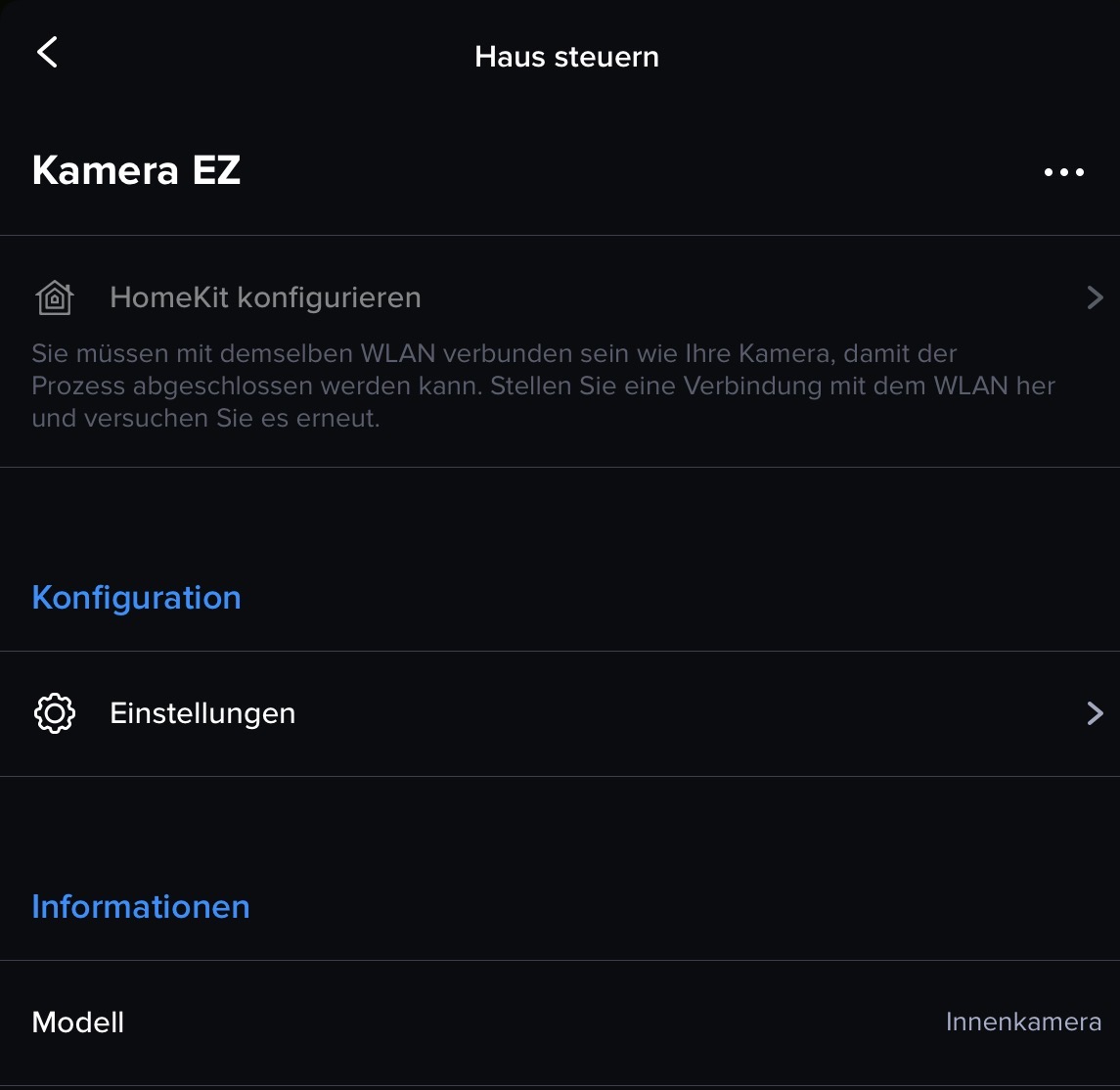
What I tried so far:
Try variant #1:
- Connection to the Ethernet cable kept active
- Removed the 2 faulty cameras via the delete and factory reset button
- Wait for the device to come back on and add it to the application
- Result: Added to the account, feed in the Security app but no active HomeKit add button
Try variant #2:
- Removed the 2 faulty cameras via the delete and factory reset button
- Remove the connection to the Ethernet cable to use WiFi
- Wait for the device to come back on and add it to the application
- Result: Added to the account, feed in the Security app but no active HomeKit add button
Try variant #3:
- Removed the 2 faulty cameras via the delete and factory reset button
- Naming the 2.4GHz, 5GHz and 6GHz WiFi networks in my router with separate names to be sure to use the exact same 2.4GHz WiFi for the camera and on my iPhone (iOS 26.1)
- Kept: Remove the connection to the Ethernet cable to use WiFi
- Wait for the device to come back on and add it to the application
- Result: Added to the account, feed in the Security app but no active HomeKit add button
Try variant #4:
- Removed the SD cards from the 2 faulty cameras and use that factory reset function like named in the help
- Kept: Naming the 2.4GHz, 5GHz and 6GHz WiFi networks in my router with separate names to be sure to use the exact same 2.4GHz WiFi for the camera and on my iPhone (iOS 26.1)
- Kept: Remove the connection to the Ethernet cable to use WiFi
- Wait for the device to come back on and add it to the application
- Result: Added to the account, feed in the Security app but no active HomeKit add button
Try variant #5:
- Removed the SD cards from the 2 faulty cameras, formatted them FAT and use that factory reset function like named in the help
- Kept: Naming the 2.4GHz, 5GHz and 6GHz WiFi networks in my router with separate names to be sure to use the exact same 2.4GHz WiFi for the camera and on my iPhone (iOS 26.1)
- Kept: Remove the connection to the Ethernet cable to use WiFi
- Wait for the device to come back on and add it to the application
- Result: Added to the account, feed in the Security app but no active HomeKit add button
I tried this for hours now and I don’t find the issue to be honest to get them back into HomeKit again.
Thank you for any hint in advance.
Kind regards =)
Comments
1 comment
Bro worked so hard for a message that won't get answered.