Note
- The serial number consists of one letter (g) followed by six characters (e.g., gxxxxxx).
- The MAC address is in this format: 70:ee:50:xx:xx:xx.
You can find the serial number / MAC address of your Smart Outdoor Camera:
- If your Camera is already linked to your account, go to the Home + Security app > Settings > Manage my home > [product's room] > [product's name].
On the product: at the bottom of the Camera.
Open the cover as shown in the pictures below. Use your fingernails to pull the strip towards the back of the camera and then remove the cover. You will find a label with a barcode and the serial number of your device.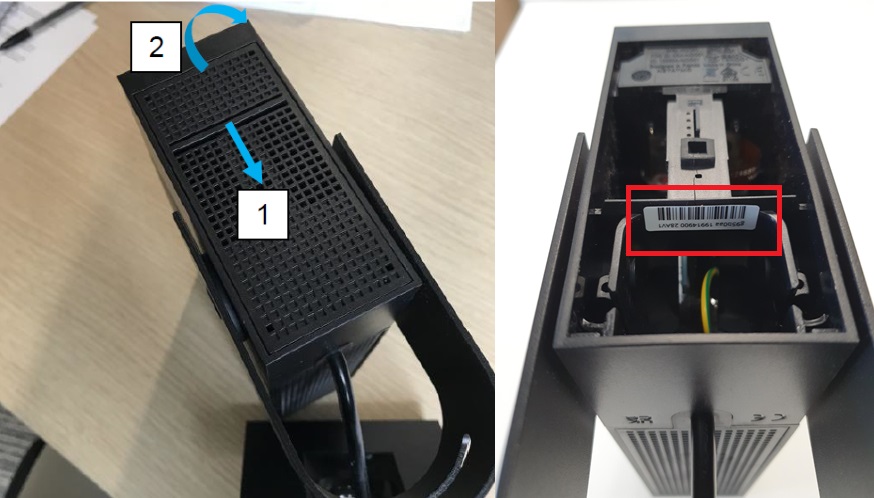
The serial number is the one circled in red.
The one circled in yellow is the HomeKit code.- On the QR code card provided in the box.
- On the packaging.
Updated